





















Physical Therapy App: Essential Features, Benefits and How to Choose the Right One in 2026
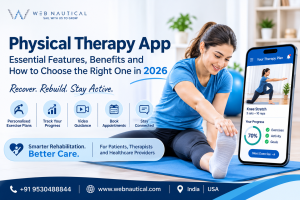
A physical therapy app is like having a rehab coach in your pocket. Your therapist picks the exercises, and the app walks you through each one, nudges you when it’s time to do them, and keeps track of your progress. So you’re not left guessing between clinic visits whether you’re doing it right. You don’t have to wait for your next clinic visit to find out whether you’re on the right track.
Therapists get something out of it too. They can set up a routine for a patient, see whether it’s actually being done, send tips or instructions, and message the patient when something needs adjusting. All of that happens between appointments, which is when most of the real recovery work takes place.
The biggest advantage for patients is convenience. It’s a lot easier to stick with your plan when you can do it at home, on your own schedule. Clinics benefit as well, since managing programmes, keeping an eye on patient activity and staying in touch gets much less messy.
One thing worth knowing: these apps aren’t all built the same. Some only handle home exercise programmes. Others add appointment booking, video consultations, progress tracking, or even remote monitoring.
So the right pick depends on what the patient needs, how the therapist works, and what the app offers. In this guide, we’ll go through what physical therapy apps are, what features to look for, the benefits, what it costs to build one, and where things are headed in 2026. Whether you’re a patient, a therapist or a healthcare provider, it should help you decide.
What Is a Physical Therapy App?
A physical therapy app is a mobile or web-based application that helps patients access rehabilitation exercises, follow treatment plans and monitor their progress. It can also help physical therapists assign exercises, review patient feedback, communicate remotely and manage rehabilitation programmes. Depending on its features, an app may support home exercise, video consultations and remote monitoring.
How Does a Physical Therapy App Work?
A physical therapy app connects patients with exercise instructions and, in many cases, their healthcare providers.
Here is how a typical application works:
- Patient registration: The patient creates an account and enters basic information.
- Initial assessment: A physical therapist reviews the patient’s condition, goals and movement limitations.
- Exercise planning: The therapist creates a suitable rehabilitation programme.
- Exercise guidance: The patient watches videos or reads instructions before performing each exercise.
- Progress updates: The patient records completed exercises, pain levels or feedback.
- Therapist monitoring: The therapist reviews available information and adjusts the plan when needed.
For example, a patient recovering from a knee injury may receive a daily exercise plan with stretching, strengthening and mobility activities. The patient completes the exercises at home and shares progress updates with the therapist.
The therapist can then review the information and decide whether the programme needs changes.
The exact process depends on the application and the level of professional supervision.
Who Can Benefit from a Physical Therapy App?
A physical therapy app can support different people involved in rehabilitation.
- Patients recovering from injuries: People recovering from sports injuries, muscle strains or joint problems can access prescribed exercises.
- People managing long-term conditions: Patients with conditions that affect movement may use suitable rehabilitation programmes under professional guidance.
- Post-surgery patients: People recovering after certain surgeries may use apps to follow exercises approved by their healthcare team.
- Older adults: Older users may benefit from simple exercise instructions and reminders.
- Athletes: Sports professionals and fitness enthusiasts may use rehabilitation plans to support recovery.
- Physical therapists: Professionals can organise exercise programmes and review patient feedback.
- Rehabilitation clinics: Healthcare centres can use physical therapy software to manage appointments, patients and treatment activities.
Not every app is suitable for every patient. The right exercises depend on the person’s condition, medical history and recovery stage.
Physical Therapy Apps vs Traditional Physical Therapy
Physical therapy apps and traditional in-person therapy serve different but connected purposes.
| Area | Physical Therapy App | Traditional Physical Therapy |
|---|---|---|
| Accessibility | Access from a compatible device | Requires a clinic visit or therapist visit |
| Exercise guidance | Videos and digital instructions | Direct demonstrations |
| Monitoring | Digital progress updates | In-person assessment |
| Communication | Messaging or video calls, if available | Face-to-face discussions |
| Scheduling | Digital appointment booking, if supported | Clinic-based booking |
| Personalisation | Depends on the therapist and app | Direct clinical assessment |
| Physical examination | Limited by available technology | Hands-on examination when appropriate |
A physical therapy app should not automatically replace in-person treatment. A combination of digital support and professional care may be more suitable for many patients.
Why Are Physical Therapy Apps Becoming Important in 2026?
Physical therapy apps are becoming useful because they make rehabilitation information easier to access and help connect patients with healthcare professionals outside the clinic.
Their value is not simply in providing exercise videos. They can support communication, improve treatment organisation and help patients follow their prescribed routines.
Easy Access to Therapy Exercises
Patients sometimes forget the exercises explained during clinic visits. A home physical therapy app provides access to exercise instructions whenever needed.
For example, someone recovering from shoulder stiffness can open the application, watch the therapist-approved exercise demonstration and follow the instructions.
This makes it easier to continue a prescribed routine between appointments.
Better Patient Engagement
Regular participation is an important part of many rehabilitation programmes.
Exercise reminders, progress charts and simple activity records can encourage patients to stay involved.
For example, an app may show how many prescribed exercise sessions a patient has completed during the week. This gives both the patient and therapist a clearer picture of participation.
However, completing an exercise does not automatically mean that it was performed correctly.
Remote Patient Monitoring
Remote patient monitoring allows healthcare professionals to review patient-reported information and other available data without requiring every update to happen during a clinic visit.
Depending on the app, this may include:
- Completed exercise sessions.
- Reported pain levels.
- Movement or activity information.
- Patient feedback.
- Rehabilitation progress reports.
These details can help therapists identify patients who may need additional support or reassessment.
Improved Communication Between Patients and Therapists
Communication features make it easier for patients to ask questions and share concerns.
For example, a patient experiencing discomfort during an exercise may send feedback through the app. The therapist can review the concern and provide appropriate guidance.
This can reduce communication gaps between scheduled appointments, although urgent medical concerns still require appropriate medical attention.
Must-Have Features of a Physical Therapy App
The right physical therapy app features depend on whether the application is designed for patients, therapists or an entire healthcare organisation.
A useful solution should make rehabilitation easier to understand, manage and monitor.
1. Personalised Exercise Plans
Personalised exercise plans allow therapists to create programmes based on a patient’s condition, goals and physical abilities.
For example, two patients recovering from knee surgery may require different exercises and activity levels.
A good app should allow therapists to:
- Assign individual exercises.
- Set exercise frequency and repetitions.
- Add instructions and precautions.
- Update programmes as recovery progresses.
- Adjust exercises when clinically appropriate.
Personalisation helps avoid treating every patient in the same way.
2. Video-Based Exercise Demonstrations
Video demonstrations help patients understand how to perform prescribed exercises.
Instead of relying only on written instructions, patients can watch a demonstration showing the movement, position and correct technique.
Useful video features include:
- Clear exercise demonstrations.
- Step-by-step instructions.
- Repetition and duration details.
- Safety precautions.
- Options to replay demonstrations.
For example, a patient performing a prescribed hamstring stretch can watch the video again whenever they need help understanding the movement.
Videos should support professional instructions, not replace individual assessment.
3. Progress Tracking and Reports
Progress tracking helps patients and therapists understand how a rehabilitation programme is going.
An app may record:
- Exercise completion.
- Daily or weekly activity.
- Patient-reported pain.
- Mobility assessments.
- Therapist feedback.
- Changes in functional goals.
A therapist dashboard can display this information in a simple report.
For example, if a patient repeatedly reports increased discomfort, the therapist may decide to review the exercise programme.
Digital records should be treated as supporting information, not as a substitute for clinical judgement.
4. Appointment Scheduling
Appointment scheduling makes it easier for patients to book and manage therapy sessions.
Useful functions include:
- Viewing available appointment slots.
- Booking or cancelling appointments.
- Rescheduling sessions.
- Appointment reminders.
- Therapist availability.
For clinics, this feature can reduce manual booking work and make appointment management more organised.
5. Patient and Therapist Communication
Communication tools help patients stay connected with their therapists.
Depending on the application, these may include:
- Secure messaging.
- Exercise-related comments.
- File sharing.
- Progress discussions.
- Follow-up messages.
For example, a patient can share feedback after completing a prescribed exercise session, allowing the therapist to review the concern.
Healthcare applications should use suitable privacy controls for all patient communication.
6. Exercise Reminders and Notifications
Reminders help patients remember their prescribed exercise schedules and appointments.
A physical therapy exercises app may send notifications for:
- Daily exercise sessions.
- Upcoming appointments.
- Pending progress updates.
- Therapist instructions.
- Programme changes.
Patients should have control over notification frequency so that reminders remain useful rather than distracting.
7. Telehealth and Video Consultation
Telehealth allows patients and therapists to communicate through video consultations.
It can be useful when patients cannot easily travel to a clinic or need a follow-up discussion.
A telehealth feature may support:
- Scheduled video consultations.
- Virtual follow-up appointments.
- Exercise demonstrations.
- Progress discussions.
- Therapist guidance.
However, a video call cannot provide every type of physical examination. Therapists must decide whether remote care is appropriate for each patient.
8. Patient Feedback and Assessment
Patient feedback helps therapists understand how people feel during rehabilitation.
An app can include simple forms asking about:
- Pain or discomfort.
- Exercise difficulty.
- Mobility changes.
- General progress.
- Treatment satisfaction.
For example, a patient may report that a particular movement feels more difficult than before.
This information can help the therapist decide whether a reassessment is needed.
9. Secure Patient Data Management
Healthcare applications handle sensitive information, so data security must be a priority.
Important security features include:
- Secure user authentication.
- Role-based access.
- Encryption during data transfer and storage.
- Secure backups.
- Access logs.
- Suitable data retention and deletion controls.
- Privacy and consent management.
Developers should also consider applicable laws and standards, such as HIPAA requirements in relevant US healthcare settings and applicable Indian data protection requirements.
Following a security checklist alone does not guarantee legal compliance. The application, organisation and way patient information is handled must all be assessed.
10. Wearable Device Integration and Activity Tracking
Wearable devices can provide additional information about daily activity.
Depending on device compatibility, an app may connect with smartwatches or fitness trackers to collect information such as:
- Daily steps.
- Activity duration.
- Heart rate.
- Movement patterns.
- Other supported activity measurements.
For example, a therapist may review a patient’s general activity information alongside clinical assessments.
Wearable measurements are not a replacement for medical assessment. Their accuracy and usefulness depend on the device and the type of information collected.
11. AI-Powered Exercise Recommendations
Artificial intelligence can make physical therapy software more intelligent by helping organise information and support personalised digital experiences.
Potential applications include:
- Suggesting exercises from therapist-approved libraries.
- Identifying patterns in patient feedback.
- Summarising progress reports.
- Supporting exercise personalisation.
- Flagging unusual changes for professional review.
For example, an AI-enabled system may identify repeated reports of discomfort during a particular exercise and alert the therapist for review.
AI-generated suggestions should not independently diagnose conditions or prescribe treatment without appropriate clinical oversight.
Benefits of Using a Physical Therapy App
A physical therapy app can provide value to patients, therapists and healthcare organisations. The benefits depend on the application’s quality, the patient’s needs and how well it fits into the care process.
Benefits for Patients
- Convenient access: Patients can view their prescribed exercise plans from home or while travelling.
- Better understanding: Videos and written instructions make exercises easier to follow.
- Regular reminders: Notifications help patients remember their exercise schedules.
- Progress visibility: Patients can review completed sessions and reported improvements.
- Easier communication: Digital messaging and video consultations can make it easier to contact a therapist.
- Greater involvement: Patients can take an active role in following and discussing their rehabilitation plans.
Benefits for Physical Therapists
- Better patient management: Digital tools can help organise patient profiles and treatment programmes.
- Easier exercise assignment: Therapists can share suitable exercise instructions without repeatedly explaining the same basic steps.
- Progress visibility: Available patient updates can help therapists prepare for follow-up sessions.
- Improved communication: Messaging and video consultation tools support communication between appointments.
- Better documentation: Digital records can make treatment information easier to organise and review.
- More organised workflows: Appointment scheduling and automated reminders can reduce some administrative work.
Benefits for Clinics and Healthcare Providers
Healthcare organisations can use physical therapy software to improve how their teams manage daily operations.
Potential benefits include:
- Centralised patient information.
- Better appointment organisation.
- Digital exercise programme management.
- Easier therapist coordination.
- Patient communication management.
- Reports for operational review.
- Support for remote rehabilitation services.
For a growing clinic, a well-designed system can connect patient-facing features with the administrative tools used by staff.
Best Physical Therapy Apps: What Should You Compare?
The best physical therapy app is not necessarily the one with the most features. It is the one that matches the user’s needs, provides reliable exercise guidance and offers suitable security and professional support.
Patients may prefer a simple application with clear instructions, while clinics may need advanced reporting and patient management tools.
When comparing physical therapy apps, consider these areas:
Exercise Library and Treatment Plans
Check whether the application provides a suitable exercise library, clear videos and options for personalised programmes.
Patients should be able to understand their prescribed activities, while therapists should be able to assign and update them.
Patient Experience and Ease of Use
A good application should be easy to navigate.
Check whether users can:
- Register without unnecessary steps.
- Find their exercise plans quickly.
- Watch videos easily.
- Record feedback.
- Access appointments.
- Understand notifications.
An application with too many complicated screens may discourage regular use.
Therapist Dashboard and Reporting
Therapists should look for features that make patient management easier.
Important functions include patient lists, exercise assignments, progress reports, communication tools and access controls.
Pricing and Subscription Options
Check whether the application offers a free version, paid subscription or clinic-based pricing.
Also review:
- Monthly and annual billing.
- Free trial conditions.
- Number of supported users.
- Additional therapist accounts.
- Premium features.
- Cancellation and renewal terms.
Do not compare subscription prices without checking what each plan includes.
Privacy, Security and Compliance
Before selecting an application, review its privacy policy, security practices and data handling arrangements.
For clinics, confirm that the application supports the legal and operational requirements of the country where it will be used.
Patient vs Practitioner Feature Comparison
| Feature | Patient Requirements | Practitioner Requirements |
|---|---|---|
| Exercise library | Easy-to-follow demonstrations | Ability to select and assign exercises |
| Personalised plans | Clear daily instructions | Programme creation and editing |
| Progress tracking | View completed activities | Review patient progress |
| Communication | Contact therapist | Respond to patient feedback |
| Appointments | Book and manage sessions | Manage availability and schedules |
| Reports | Understand personal progress | Review patient records |
| Security | Protect personal information | Manage permissions and patient access |
| Notifications | Exercise and appointment reminders | Patient follow-up alerts |
Important: This table compares the capabilities users should look for; it is not a verified ranking of commercial applications. Named app features and current prices should be checked directly with each provider before publication or purchase.
How to Choose the Right Physical Therapy App
Choosing the right physiotherapy app becomes easier when you understand your goals and compare the features that matter.
Follow this practical checklist.
1. Identify Your Therapy Goals
Start by understanding why you need the application.
Are you recovering from an injury, following post-surgery exercises or managing a long-term movement problem?
For therapists, consider whether the app is needed for exercise assignment, remote monitoring or patient management.
2. Check Available Features
Make a list of essential features.
Patients may prioritise video demonstrations, reminders and progress tracking.
Therapists may need patient dashboards, personalised exercise plans and reporting tools.
Avoid paying for features that you will not use.
3. Review Exercise Guidance
Check whether exercises have clear instructions, demonstrations and suitable safety information.
If possible, ask your physical therapist whether the app’s exercise content is appropriate for your condition.
4. Evaluate Data Security
Read the privacy policy and understand how personal and medical information is stored, accessed and shared.
For healthcare providers, review the application’s security controls and compliance responsibilities before onboarding patients.
5. Check Device Compatibility
Make sure the application works with your smartphone, tablet or computer.
Also check its operating system requirements, browser support and wearable device compatibility if those integrations are important.
6. Consult Your Physical Therapist
Before following a digital exercise programme, discuss it with a qualified physical therapist.
The professional can help determine whether the app is suitable and whether its exercises match your recovery needs.
How Much Does a Physical Therapy App Cost?
The cost of a physical therapy app depends on its features, business model and intended users.
Some applications offer basic access without payment, while others charge for premium tools, professional services or clinic subscriptions.
There is no single price that applies to every physical therapy app.
Free vs Paid Physical Therapy Apps
Free physical therapy apps may offer basic exercise instructions, educational content or limited tracking features.
They can be useful for exploring digital rehabilitation tools, but users should check whether exercise content is appropriate and professionally reviewed.
Paid physical therapy apps may provide additional features such as personalised plans, therapist communication, advanced reports and video consultations.
However, a paid subscription does not automatically mean better medical guidance.
Subscription-Based Pricing
Many digital healthcare products use subscription-based pricing.
Depending on the provider, users may find:
- Monthly subscriptions.
- Annual subscriptions.
- Per-user pricing.
- Per-clinic plans.
- Custom enterprise packages.
Some applications may also use separate pricing for patients and healthcare professionals.
Always check the current pricing page and subscription conditions before purchasing.
Factors That Affect App Costs
Several factors can influence the cost of a physical therapy app.
| Factor | How It Affects Cost |
|---|---|
| Feature complexity | Advanced features require more development and maintenance |
| Video integration | Video hosting and consultation tools add technical requirements |
| AI functionality | AI models and processing can increase operating costs |
| Wearable integration | Device connections and testing add development work |
| Data security | Secure infrastructure and ongoing protection require investment |
| User volume | More users can increase hosting and support needs |
| Integrations | Connecting external healthcare systems adds complexity |
| Maintenance | Updates, bug fixes and technical support create ongoing costs |
If an organisation wants its own application, custom physical therapy app development costs will depend on the project scope, integrations, platforms and security requirements.
The Future of Physical Therapy Apps
Physical therapy apps are moving towards more connected and personalised digital rehabilitation experiences.
Emerging technologies may help patients and therapists access better information, although clinical supervision and patient safety will remain essential.
Artificial Intelligence in Physical Therapy
AI can help process information, identify patterns and support digital rehabilitation workflows.
Future applications may use AI to:
- Analyse exercise completion patterns.
- Summarise patient feedback.
- Support personalised exercise libraries.
- Assist therapists with documentation.
- Identify potential changes that need professional review.
AI should remain a support tool. Clinical decisions must be made with appropriate professional judgement.
Remote Rehabilitation and Telehealth
Remote rehabilitation can help patients access certain therapy services without travelling to a clinic for every interaction.
Video consultations, digital exercise programmes and remote progress updates can support follow-up care.
The suitability of remote rehabilitation depends on the patient’s condition, the type of treatment and the therapist’s assessment.
Wearable Technology and Motion Tracking
Wearable devices and motion-tracking technology may provide additional information about patient activity and movement.
Some systems can use smartphone cameras or compatible sensors to estimate movement patterns.
For example, a motion-tracking system may help a therapist review how a patient performs a movement during a guided session.
These measurements require careful validation and should not be treated as a complete clinical assessment.
Personalised Digital Rehabilitation
Future applications may combine patient feedback, exercise history, wearable information and therapist input to create more personalised experiences.
The aim is to make digital rehabilitation more relevant to individual needs rather than providing the same generic programme to everyone.
A strong digital rehabilitation system will combine useful technology with professional guidance, clear communication and responsible data management.
Frequently Asked Questions About Physical Therapy Apps
1. What Is the Best Physical Therapy App?
The best physical therapy app depends on your treatment needs and whether you are a patient or therapist. Look for clear exercise demonstrations, personalised plans, progress tracking, reliable communication and strong privacy controls. Patients should also consult their physical therapist before following an app-based rehabilitation programme.
2. Are Physical Therapy Apps Effective?
Physical therapy apps can support rehabilitation by providing exercise instructions, reminders and communication tools. Their usefulness depends on the patient’s condition, the quality of the app and professional guidance. They should support an appropriate treatment plan rather than replace clinical assessment or hands-on care when needed.
3. Can I Use a Physical Therapy App Without a Therapist?
Some apps provide general exercise information without requiring a therapist. However, starting rehabilitation without understanding the cause of your symptoms may be unsafe. For injuries, persistent pain or recovery after surgery, seek professional advice before following an exercise programme.
4. Do Physical Therapy Apps Offer Personalised Exercises?
Yes, some physical therapy apps allow therapists to create exercise plans based on a patient’s condition, abilities and recovery goals. Other applications offer general exercise libraries. Always check whether the exercises are professionally reviewed and suitable for your individual needs.
5. Are Physical Therapy Apps Safe to Use?
Physical therapy apps can be useful when their instructions are reliable and their exercises are appropriate for the user. However, an incorrect exercise may worsen certain symptoms. Choose applications with suitable professional oversight, check privacy practices and stop an activity if it causes concerning pain or discomfort.
6. Can Physical Therapists Monitor Patients Through an App?
Yes, applications with remote monitoring features can help therapists review exercise completion, patient feedback, reported symptoms and other available activity information. Therapists can use these updates to guide follow-up discussions and decide whether a reassessment is needed.
7. Are Physical Therapy Apps Free?
Some physical therapy apps offer free access to basic exercises or educational content. Others use paid subscriptions for personalised plans, therapist communication or advanced reporting. Pricing varies by provider, so check the current subscription details and available features before choosing an app.
Build a Smarter Digital Healthcare Experience
Digital healthcare is creating new ways for patients, therapists and clinics to stay connected. A well-designed physical therapy app can bring exercise programmes, patient records, appointment scheduling, communication and progress tracking together in one convenient platform.
For healthcare providers, a custom application can also be designed around their specific treatment processes, patient needs and business goals.
At Web Nautical, we help businesses turn technology ideas into practical digital solutions. Our healthcare app development services focus on building applications that support better user experiences and smoother healthcare workflows.
Whether you are planning a patient-focused physiotherapy app, a therapist management platform or a complete digital rehabilitation system, the right development approach starts with understanding your users and requirements.