Discover how AI can improve efficiency, automate workflows, and unlock new growth opportunities. Fill out the form and get a personalized AI readiness assessment.


Creating for iPad is not always about building mobile screens. It comes with a deeper understanding of large-screen interactions, multitasking behavior, and touch-first usability. Web Nautical’s iPad app UI/UX structure focuses on user-centric experiences that give users ease to use, visually refined, and performance-ready. We prepare it to use on the go while aligned with Apple design standards.
Our iPad UI/UX designers create intuitive, responsive, and visually engaging interfaces that maximise usability across all iPad screen sizes. We focus on delivering seamless navigation, improved user engagement, and experiences optimised for productivity and performance.
Trusted by startups and Fortune 500 companies
We create visually consistent, pixel-perfect iPad interfaces that align with your product goals and identity.
Our structured approach follows Apple Human Interface Guidelines to be certain of accessibility and visual hierarchy across all iPad models.
Key giveaway:
Excellent iPad apps are created on concrete UX foundations. We conduct behavioral analysis and user research to make experiences better, intuitive to use, and purpose-driven.
Our UX services:
If your current iPad applications feel dated or underperforming, we can revamp it with a modern UI and better UX. Web Nautical’s redesign process concentrates on performance, clarity, and visual consistency.
What’s better:
We create industry-grade iPad apps for internal tools, businesses, and dashboards optimized for business workflows. Our structures focus on growth, data, and sustainability.
Capabilities:
Transforming ideas into future-ready solutions.
flutter
PostgreSQL
My SQL
Mango DB
Coral
Canva
Adobe XD
Sktech
Figma
Photoshop
Claude
Build mobile applications with security and regulatory requirements considered from the start. We incorporate secure data handling, authentication, access controls, privacy measures, and compliance requirements into the architecture and development process.
Innovative Projects, Lasting Contributions
A few steps or Milestones occur during the journey of an iPad UI/UX designing process.
Every successful iPad app design begins with understanding your business goals, target audience, and user expectations. Our UI/UX experts conduct in-depth user research, competitor analysis, and requirement gathering to create a strategic design roadmap that delivers intuitive and engaging iPad experiences.
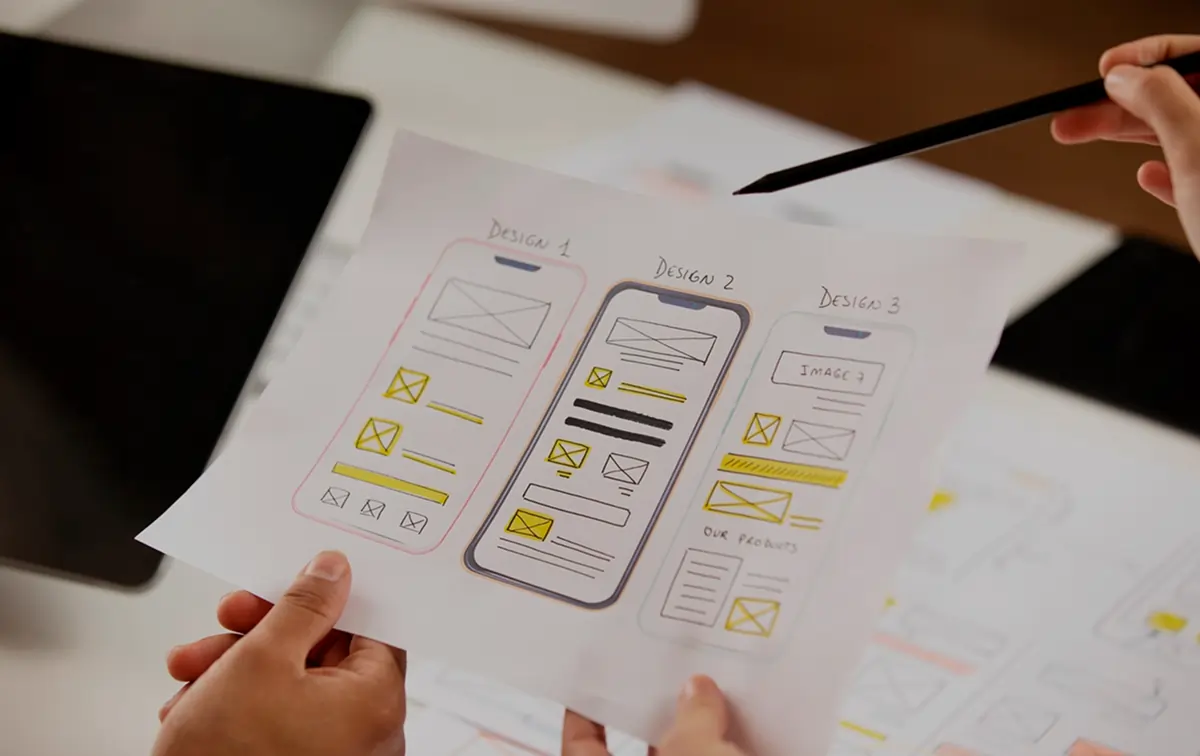
We define user journeys, information architecture, and interaction flows before moving into visual design. Our wireframes establish a clear structure for navigation, functionality, and usability, ensuring your iPad application provides a seamless and user-friendly experience.
Our designers create visually appealing, high-fidelity iPad interfaces that follow Apple’s Human Interface Guidelines. Every screen is optimized for larger displays, delivering responsive layouts, consistent branding, and intuitive interactions that enhance user engagement.
We build clickable, interactive prototypes that simulate the complete user experience before development begins. This allows stakeholders to validate workflows, gather feedback, refine usability, and minimize development risks while ensuring the final product meets business objectives.
After final approval, we deliver developer-ready design assets, UI components, style guides, and detailed documentation for a smooth implementation. Our team also provides design validation and ongoing support to ensure the finished iPad application accurately reflects the approved user experience.
Voices That Define Our Success
Tell us what you’re trying to build, the problem you’re solving, and where you want to go next. Our team will help you identify the right technology, development approach, and roadmap.
30 minutes to explore your automation opportunities. No pitch, no pressure — just a focused conversation about your workflow challenges.
Tell us about your project and we’ll tailor our expertise to fit your needs. Fill out the form below, and we’ll get back to you soon.
iPad app UI/UX design focuses on creating intuitive interfaces and seamless user experiences specifically optimised for iPad devices. It involves designing layouts, navigation, interactions, and visual elements that take advantage of larger screens, touch gestures, multitasking capabilities, and Apple’s design guidelines to deliver an engaging and user-friendly experience.
iPad apps are often used for extended sessions, making UI/UX a critical factor in user satisfaction and engagement. A well-designed interface reduces friction, improves usability, enhances navigation, and increases user retention by providing a smooth and enjoyable experience tailored to larger screens and touch interactions.
The cost of iPad UI/UX design depends on factors such as app complexity, the number of screens, user research requirements, and the level of customisation involved. Indian design teams often provide high-quality UI/UX services at competitive rates, offering excellent value without compromising on design quality, usability, or innovation.
Yes, absolutely. We provide complete iPad app redesign services focused on improving usability, performance, accessibility, and visual consistency. Our team evaluates your existing interface, identifies user experience gaps, and creates a modern, intuitive design aligned with current Apple design standards and user expectations.
Yes, we provide iPad application UI/UX design services for clients across the USA. Our team offers flexible collaboration, time zone-aligned communication, and dedicated support to ensure a smooth design process and timely project delivery, regardless of your location.